Quick answer
Why does setting powder look white in photos? Some powders scatter a direct camera flash back toward the lens, creating pale patches called makeup flashback. Heavy or uneven application can make it clearer, even when the same makeup looks normal in a mirror.
Use less powder, brush away the excess, then test the finished routine with the camera and flash you expect to use. Don't remove daytime sunscreen based on a flash photo; the powder, application, lighting, and camera all need testing together.
Why direct flash reveals a white cast
Flashback is a camera effect, not a sudden change in your skin, because fine powder particles can reflect or scatter light. A strong flash near the lens sends light toward your face and captures some of it coming straight back.
That setup is unlike bathroom light or indirect daylight. Those sources reach your face from broader angles, so they may not reveal the same pale areas. Direct flash can also create sharp reflections and flatten colour. A 2026 dermatology photography review warns that flash may whitewash darker skin tones and reduce fine detail.
The white pattern often maps the heaviest application, usually under the eyes, beside the nose, on the forehead, or along the jaw. If you “bake” one area with a thick layer, the camera can reveal an edge that your eyes missed.
Phone processing adds another variable, and a controlled smartphone study found that camera angle changed colour and lightness in skin-tone standards. Distance changed lightness, and turning on flash did not remove those differences, so compare like with like.
What the direct powder study found
The most relevant study tested flashback from cosmetic powder ingredients on eight volunteers, using marked sample areas on the inner forearm. Researchers photographed each area with and without a DSLR flash from about 15 centimetres away.
In that setup, the tested fumed silica produced strong flashback, while the tested talc and mica produced no measurable flashback. The authors linked the difference to how the particles scattered light back toward the camera.
That result is useful but narrow because the team tested raw ingredients, not a shelf of finished setting powders. It used eight people, one imaging method, and an in-house measure; a company developing a competing powder ingredient funded and performed the work.
So don't turn one result into a blacklist. “Contains silica” does not tell you the particle form, concentration, other ingredients, or how much will reach your skin. The study supports a clue, not a universal rule.
Read the ingredient list without overreading it
Check where silica appears because US cosmetic labels generally list ingredients from highest to lowest amount. The FDA allows ingredients at 1% or less, plus colour additives, to appear outside strict order.
Silica near the start of a short powder formula deserves a flash test, but it doesn't prove the finished product will look white. A pressed formula, loose formula, tinted base, and different application amounts can photograph differently.
Words such as “translucent,” “universal,” and “HD” don't settle the question either. Translucent means the product adds little visible colour under some conditions, not that it stays invisible on every skin tone under direct flash.
Don't assume mica, zinc oxide, titanium dioxide, or sunscreen will always ruin a photo. The small ingredient study found no measurable flashback from its mica sample. Cosmetic chemist Michelle Wong has also shown that products with similar headline ingredients can behave differently under flash.
That is why the finished-routine test beats an ingredient blacklist.
Run a useful flash test in 10 minutes
Test the makeup as you will wear it. A powder swatched heavily on your arm can identify a bad mismatch, but it cannot reproduce your full face routine.
- Apply your normal skincare, sunscreen, base, concealer, and powder amounts.
- Let each layer reach its normal finish. Don't test while spray or skincare is still wet.
- Stand in the room where photos are likely, if you know it.
- Fix the camera position, distance, zoom, and head angle. Turn off beauty filters and portrait relighting.
- Take one photo without flash and one with direct flash.
- Check the under-eyes, nose, mouth, hairline, and jaw at normal viewing size first.
- Change only the powder amount or powder product, then repeat both photos.
Use the same phone for every comparison because research on skin-tone standards shows that distance and angle can change captured colour. If you alter both the product and the camera setup, you won't know what fixed the problem.
Keep these test photos private and local if you don't need to share them. Crop the background and identifying details before sending one to a makeup artist. You do not need to upload a full-face image to diagnose simple powder flashback.
Fix the white cast in the right order
Start with application, which costs nothing and often preserves a powder that works well in normal light.
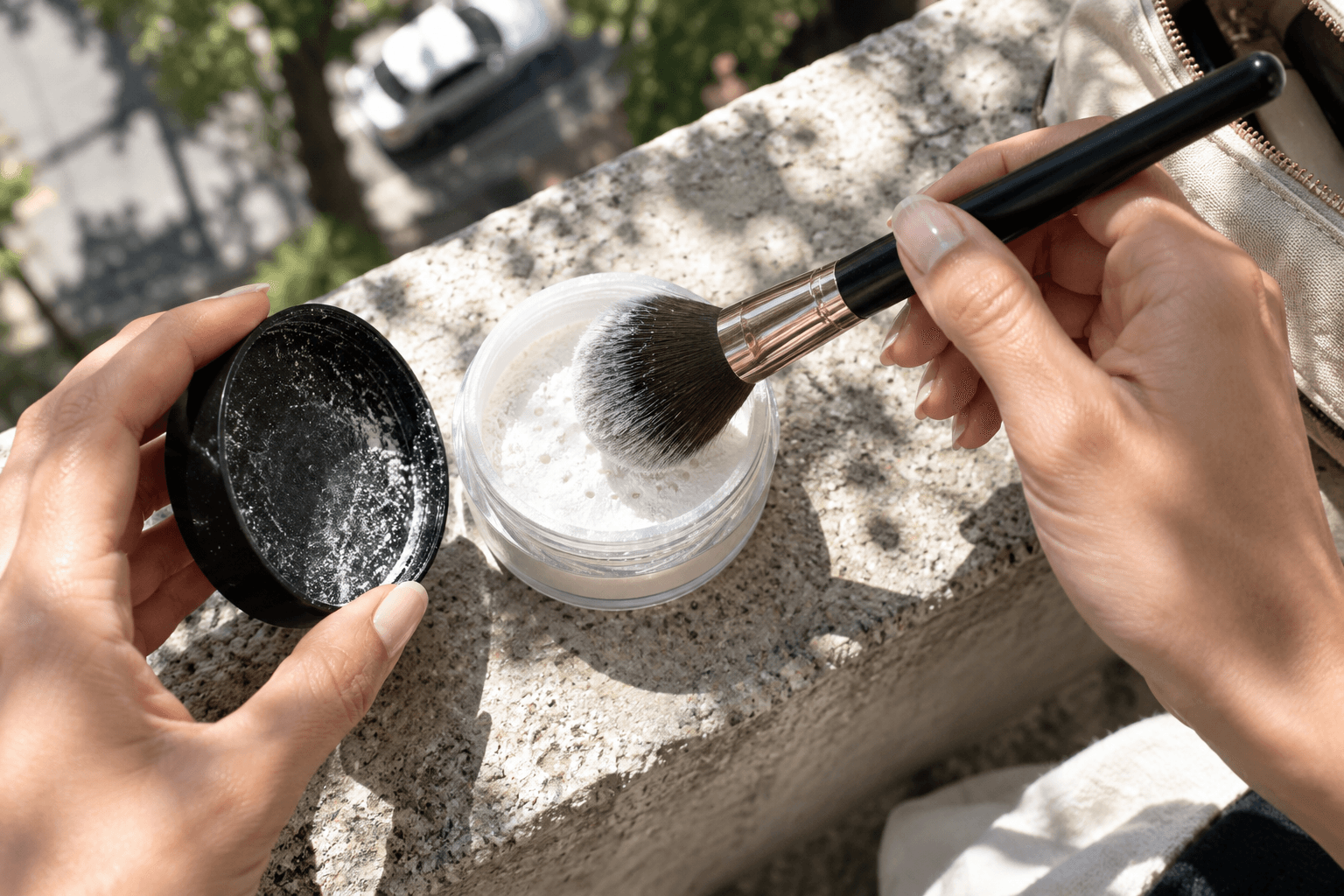
- Sweep away loose excess with a clean, fluffy brush.
- Use a thinner, even layer instead of packing powder onto large areas.
- Powder only the places that need oil control or crease resistance.
- Blot oil before a touch-up instead of stacking fresh powder over old powder.
- Retest with direct flash after each change.
If the cast remains, try a lightly tinted or shade-matched powder to reduce the contrast from a stark white translucent formula. Test the undertone as well as depth, since a powder can avoid white flashback yet still look too pink, yellow, or grey.
Next, test another formula instead of shopping from the label alone. A sample worn over your actual sunscreen, base, and concealer gives better evidence than an isolated ingredient claim.
Setting spray is not a guaranteed repair: Wong's practical demonstration found that water hid silica flashback while wet, then it returned after evaporation. Treat spray as part of the routine and retest it after it dries.
If you control the photography, broad or bounced light may produce a more natural skin rendering than a small direct flash. It does not correct an unsuitable powder, so keep the makeup test.
Keep flash tests separate from skin tracking
A flashback photo cannot tell you that your bare skin is pale, uneven, or “worse.” It records an interaction between product particles, application, lighting, camera position, and software.
For a private AI skin scan or progress photo, use clean skin and consistent indirect light. Keep the same phone, distance, angle, and exposure conditions. Save direct-flash makeup tests as a separate set, or you may mistake product residue for a change in skin tone or texture.
FAQ
Does every translucent setting powder cause flashback?
No: “translucent” describes visible colour more than flash performance, while formula, particle properties, skin tone, application amount, and camera setup affect the result. Test the finished routine rather than trusting the front label.
Does silica always look white in photos?
No. One small study found strong flashback from the specific fumed silica it tested, but that does not cover every silica grade or finished formula. Silica high on the label is a reason to test carefully, not proof that the product will fail.
Is sunscreen the cause of makeup flashback?
Not necessarily, because some white or reflective ingredients can affect photos while the whole formula and amount still matter. Do not skip sun protection for daytime events; test your sunscreen, base, and powder together, then change the product that causes the cast.
Why is the white cast only under my eyes?
You probably placed more powder there, used a lighter product beneath it, or created a sharp application edge. Brush away the excess and repeat the same flash test. If the patch remains, compare the powder over each base product separately.