Quick answer
Why do my eyebrows disappear in photos? Usually, the camera has lost contrast between your brow hair and skin. Bright light, high exposure, makeup around the brow, and image compression can all make normal brows fade.
Compare a clean, full-resolution photo in soft window light with what you see in the mirror. If your brows also look thinner in person, the issue may be hair loss rather than the camera.
The camera needs contrast, not more hair
A photo records differences in brightness and color, but it doesn't know where each eyebrow hair begins or ends.
Researchers call the difference between a facial feature and nearby skin “facial contrast.” Jones, Russell, and Ward measured this contrast around the brows, eyes, and mouth. Their work shows that brow visibility depends on both the hair and the skin around it.
That explains a common mismatch: fine, pale, gray, or sparse hairs can look present in a mirror yet merge with skin in a photo.
Makeup can change the equation too: one experiment followed 44 White women aged 18 to 27 after they applied cosmetics for a night out. Brow luminance contrast fell in this small, narrow sample, even though the study didn't isolate one product as the cause.
Why eyebrows disappear in photos
1. Light flattens the difference
Broad light from the front can reduce the small shadows made by individual hairs. A bright window behind you can make the phone darken your face, hiding low-contrast brow hairs.
If the forehead and brow bone look almost white, fine brow detail may be clipped with the highlights. Adobe's exposure guide notes that overexposed images retain less tonal information.
Uneven light creates another clue: if the brow farther from the light fades more, lighting is the likely cause.
2. Cosmetics change the brow area
Jones and colleagues found that cosmetics altered both the brow and its surroundings. In their experiment, makeup darkened the skin below the brow more than it changed the brow itself.
That result doesn't prove that your foundation or powder caused the problem. It does show why adding more product may not create the contrast you expect.
Check the hairs directly; if you can see base product on them, brush it away and repeat the photo under the same conditions.
3. The finished image is too small
Individual brow hairs are thin details that may remain visible in the original file but disappear after a lossy export or resize.
Lossy compression cuts file size by discarding information, which Adobe notes can remove detail, color nuance, and depth.
Repeated saving or exporting can cause more loss, so compare the full-resolution original with the resized or exported copy. If only the copy loses detail, your brows haven't changed.
4. Your brow and skin have similar tones
A brow close in brightness or color to nearby skin starts with less separation in the image.
That small difference is easier to lose through poor exposure or compression. Judge any brow product on your face under the light used for the photo.
Run this five-minute test
Use your phone's normal photo mode, then turn off any beauty filter or retouching setting you can identify.
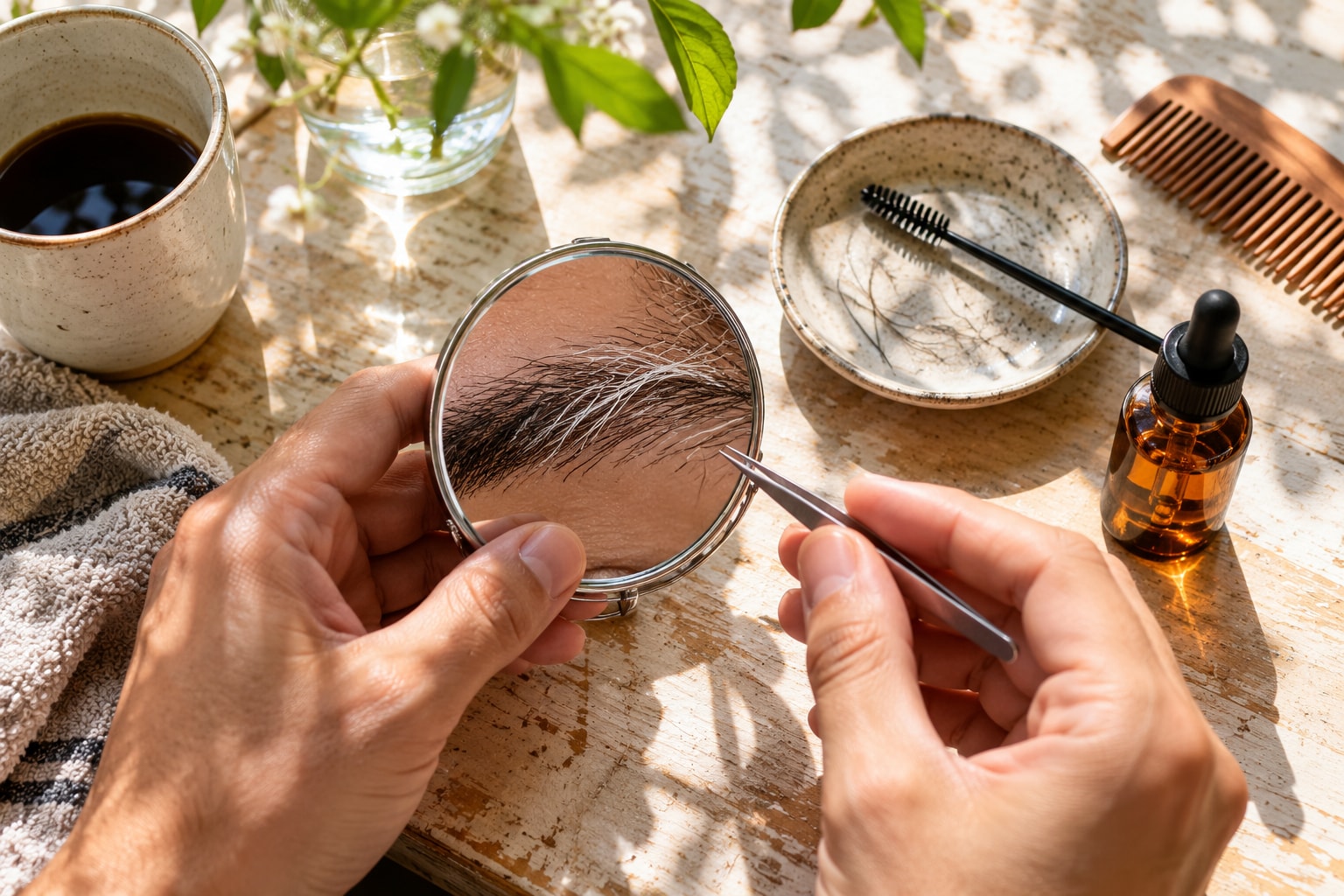
- Start with clean, dry brows, then brush away any visible product with a clean spoolie.
- Stand beside a window with the light falling across the front of your face, not behind you.
- Hold the phone at eye level and keep the same distance for every shot.
- Take one photo at the default exposure, then lower it slightly for a second shot if your forehead looks washed out.
- Add your usual brow product, if you wear one, and take a third photo without moving.
- Compare the original files at normal viewing size, followed by any resized or exported version.
Soft window light is more even than direct sun, which removes one variable so you can find the cause.
Look for a repeatable pattern. If brows return after brushing, product on the hairs is one possible cause. A difference after an exposure change suggests a capture issue, while detail lost after export suggests compression or resizing.
Repeat any apparent result in two or three matched photos because one shot can mislead you.
Fix the photo before changing your brows
Match the fix to the cause. A lighting issue doesn't require a new brow shape.
Move until both brows receive similar light, with bright windows behind the camera rather than behind your head. If your forehead has no visible texture, lower the exposure a little and retake the shot.
Next, clear base product from the hairs with a clean spoolie. For stubborn residue, use a dry cotton bud with light pressure instead of rubbing the skin.
If you still want more definition, test a small amount of tinted gel or fine pencil. Pick a shade near your brow hair, then check it at the photo's final display size.
Don't judge only from a close-up. One step darker is a test, not a rule.
Keep the original image when detail matters because repeated lossy exports, saves, or resizes can remove more detail.
Track your brows without camera noise
Use the same camera, distance, light direction, and expression for progress photos, with clean brows or the same product each time.
Choose a consistent interval and compare original files. A changed capture setup can imitate brow change, so keep those variables steady.
When the change may be real hair loss
Check the mirror in even light, then compare it with an older clear photo taken from a similar angle. Look for new or noticeable loss that persists across matched photos.
Cleveland Clinic uses “madarosis” for eyebrow or eyelash hair loss. Possible causes include skin inflammation, alopecia areata, thyroid disease, infection, and product reactions. A photo can't separate these causes.
See a healthcare provider if the loss is new or keeps progressing. Cleveland Clinic advises an eye care specialist when your eyes or nearby skin have also changed.
Cleveland Clinic says treatment depends on the cause. Don't choose a treatment from a photo or buy prescription products from an unverified seller.
FAQ
Why do my eyebrows show in the mirror but not in photos?
Your mirror view isn't limited by a camera's exposure or pixel resolution. A photo is, so low contrast or lost detail can hide hairs still visible in person.
Why does one eyebrow disappear more than the other?
The two sides may receive different light, or visible product may remain on one brow. Repeat the photo while facing soft, even light. If the difference remains visible in the mirror, compare older photos and watch for real thinning.
Should I use a darker eyebrow pencil for photos?
A slightly deeper shade can help when low contrast is the cause, but darker isn't automatically better. Use light strokes, photograph the result, and judge it at the size people will see.
Can a phone camera erase eyebrow hairs?
It can fail to preserve them because high exposure loses highlight detail, while resizing and lossy compression can remove fine texture. Compare the original with a resized or exported copy before changing your routine.