Quick answer
Why do my teeth look yellow in photos? A phone can record tooth color badly because lighting, white balance, flash, and nearby colors change the result. The yellow may also be real: natural teeth contain yellowish dentin under enamel, while food, tobacco, and plaque can add surface stains.
Judge the pattern, not one selfie. Retake the photo under controlled light before buying whitening products or scrubbing your enamel.
A phone photo is not a tooth shade test
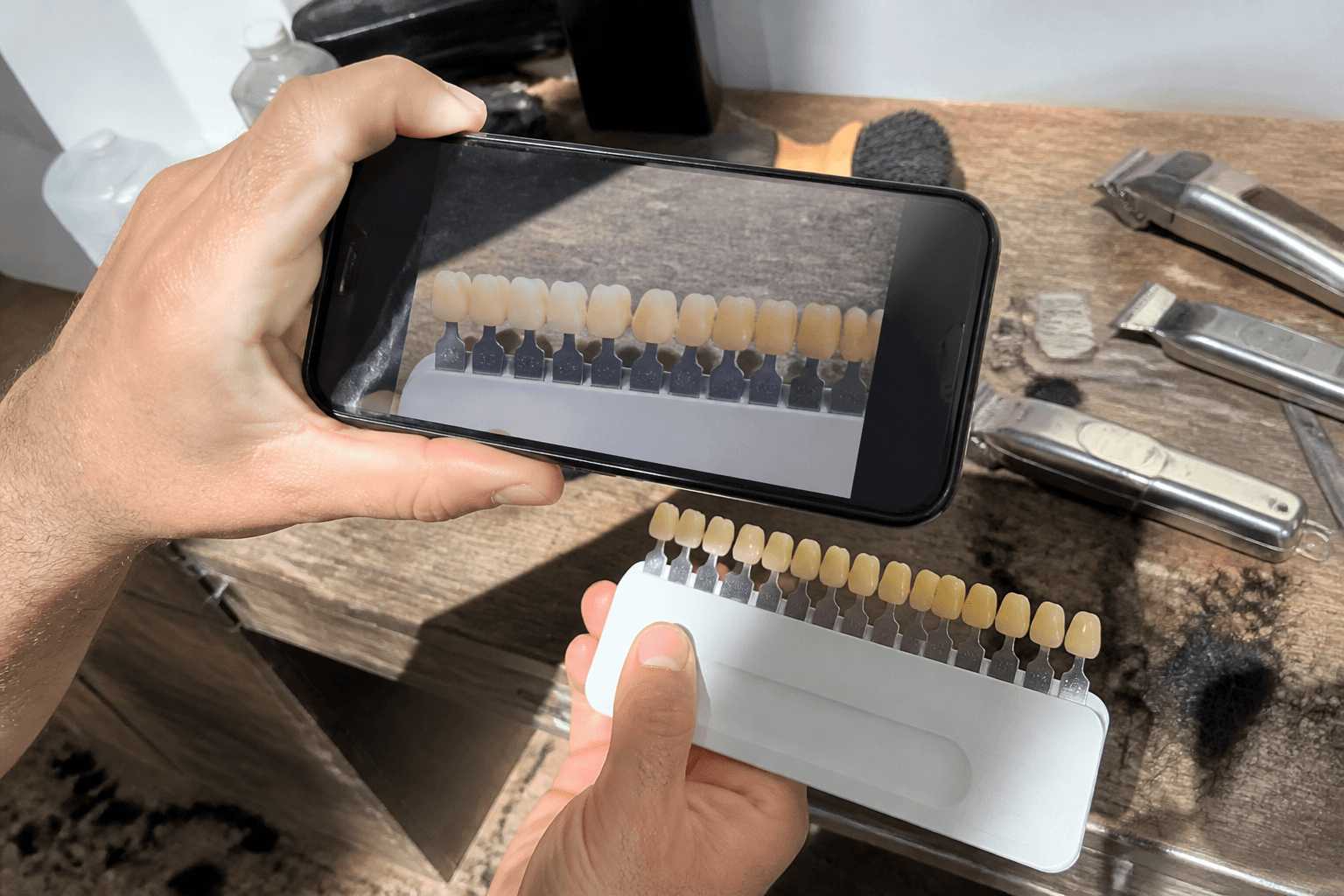
A 2024 study took photos of 45 people with three phones under five lighting setups, and color values changed with both phone and lighting. They also differed from a clinical color meter used on the same teeth. The phone method could not pick a dental shade well enough for clinic use.
An earlier lab study tested 15 ceramic shades with automatic and custom white balance. Under LED light, custom white balance raised correct shade matches from 67% to 93%. Ring-flash photos gave worse matches, partly because the flash varied and created glare.
Those numbers do not predict what your selfie camera will do because the first study used a controlled setup and the second used ceramic disks. They do show why a casual photo can make yellow look stronger or hide it.
Why the same teeth change color on camera
The light hitting them changes
Tooth color is not fixed across every light source: in 2020, a team modeled 36 healthy front teeth under nine white LED lights. Most color and whiteness shifts crossed common dental thresholds for a visible difference.
A warm lamp or sunset can give the scene a yellow cast. Mixed light from a window and ceiling lamp gives the camera two colors to correct.
Your phone guesses what should look neutral
Automatic white balance estimates the light's color and adjusts the image, but that estimate changes with the scene. A saved JPEG includes changes chosen by the phone, rather than a direct sample of your enamel.
The error can run either way: one setup may warm your teeth, while another cools or brightens them. A beauty filter makes comparisons weaker because its purpose is to alter the image.
Flash creates glare and hard contrast
Enamel reflects direct flash, and ring-flash photos matched shades less reliably in the ceramic study partly because of uneven flash and glare.
Flash does not always make teeth yellower; it may wash them out. Either result is a poor reference for deciding whether your tooth color changed.
Nearby colors change your judgment
Nearby colors matter even when the tooth pixels stay the same. Dental guides tell dentists to remove lipstick and use a light-gray background. Bright clothing, makeup, and shiny surfaces can skew a visual match.
That does not mean lipstick stains your teeth; the same tooth can look different beside warm, cool, dark, or bright colors.
Your real tooth structure still matters
Camera errors do not explain every yellow photo because enamel covers yellowish dentin, while tooth brightness and translucency vary between people. The American Dental Association notes that aging can thin enamel, allowing more dentin color to show.
Coffee, tea, red wine, tobacco, and plaque can create real surface stains. A healthy tooth also does not need to match white paper.

Run a fair five-minute photo check
Use a repeatable setup to check for a camera effect; it will not measure true shade, but it removes the largest photo differences.
- Clean the lens, then turn off beauty modes, color filters, and any automatic edits you can control.
- Stand facing a window in indirect daytime light, and turn off indoor lamps so you do not mix light colors.
- Switch off the flash, then use the same camera, distance, zoom, and exposure for every photo.
- Remove tinted lip products, and choose a plain gray or muted background instead of a bright white wall.
- Keep your lips and jaw relaxed, then take a second photo on another day at about the same time.
- Compare both images on the same screen, using the same display settings each time.
If the yellow cast disappears or changes between photos, the camera setup caused at least part of it. If the color stays stable, you may be seeing your natural shade or a real stain. A dentist can tell which applies with an exam and standard shade tools.
Check whether the color is actually changing
Look for a pattern across weeks, using the same setup instead of comparing a bathroom mirror with a sunset selfie. Different conditions answer different questions.
Uniform color across several teeth often reflects natural shade, aging, or surface stains. One tooth that suddenly darkens deserves more attention because Cleveland Clinic links a lone color change with decay or injury.
Book a dental exam if the change comes with pain, sensitivity, bad breath, bleeding gums, or a visible hole. Get a single changing tooth checked even if it does not hurt.
Do not whiten a camera problem
One unflattering photo is not a reason to bleach your teeth. Whitening can cause short-term sensitivity, harm enamel or gums when overused, and fail to correct some color changes.
Skip charcoal, lemon juice, and other rough or acidic hacks because they can damage enamel. If you want a lighter shade, ask a dentist which option fits the cause. Choose products with an American Dental Association Seal of Acceptance when one is available.
FAQ
Why do my teeth look white in the mirror but yellow on camera?
Your mirror and camera may use different light, backgrounds, and viewing conditions, while the phone also applies white balance and image changes. If the difference vanishes in repeat photos under indirect daylight, the camera setup was driving much of it.
Does phone flash make teeth look more yellow?
It can, but it can also make them look brighter or washed out. Flash creates strong reflections, and the phone must balance those highlights against darker areas. Use flash-off photos for a fairer comparison.
What lighting shows tooth color most fairly?
Indirect daytime light with indoor lamps switched off is a practical home check, using the same place, time, phone, and neutral background. A dentist still needs set lighting and shade tools for a clinical color match.
Should I whiten teeth that only look yellow in photos?
Not until you repeat the photo with the same setup. If yellow appears across settings and bothers you, a dentist can tell natural color from surface stain or a deeper change. That check helps you avoid whitening that cannot fix the cause.